Log time — timer or manual entry, per project.
Time Tracking
Billable hours that land in your books
Track time against clients and projects, approve it, and sync — directly to Zoho Books, with export for Xero and QuickBooks. No separate time app to pay for.
14-day free trial · No credit card
Time Tracking · Sample workspaceReview queue
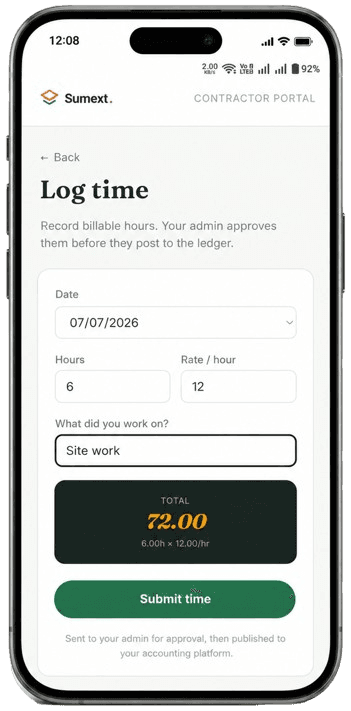
Example product screen · Sample data
The problem
Hours get lost between the job and the invoice.
The timesheet nobody fills in, and the month-end scramble to bill for work you've half-forgotten.
How it works
From recorded hours to approved time.
Submit the week for review.
An approver checks and approves the hours.
Sync to Zoho Books, or export a CSV for Xero and QuickBooks.
What makes it different
Time stays with the bookkeeping workflow.
No AI capture tool offers time tracking. It's usually a second subscription — Harvest, Toggl — that Sumext replaces.
| Feature | Sumext | Others |
|---|---|---|
| Time tracking | Yes | No |
| Direct sync to Zoho Books | Yes | — |
| CSV export for Xero/QuickBooks | Yes | — |
Approved time syncs directly to Zoho Books. For Xero and QuickBooks, export the approved week as a CSV — direct sync there isn't available yet.
See it in your workflow
Ready to try it?
Guided setup · 14-day free trial · No credit card